Button Attribute
Attribute to add a button in the inspector.
- Parameters:
boolisRepetable: Makes the button repeat logic on holdstringconditionName: The name of the condition to evaluateobjectenumValue: The value of the enum conditionConditionResultconditionResult: What happens to the button when the condition evaluates to trueoptional,
boolnegate: Negate the evaluated conditionoptional,
longpressDelay: How many milliseconds to wait before the logic is repeatedoptional,
longrepetitionInterval: The interval in milliseconds the logic will repeatoptional,
stringbuttonLabel: The label displayed on the buttonoptional,
floatbuttonHeight: The height of the button in pixelsoptional,
boolserializeParameters: Have the button parameters persist between selectionsoptional,
boolmakeDirty: Whether to mark the object as dirty after invoking the function
Example:
using UnityEngine;
using EditorAttributes;

public class AttributesExample : MonoBehaviour
{
        [Button]
        public void Button() => print("Hello World!");

        [Button("Button", 30f)]
        public void TallButton() => print("Im Tall!");
}

If your function has parameters they will be displayed under the button as a foldout:
using UnityEngine;
using EditorAttributes;

public class AttributesExample : MonoBehaviour
{
        [Button]
        public void ButtonParams(int param01) => print(param01);
}

Note
Collections, UnityEvents, GameObject, serialized objects and out or ref parameters are not supported
Due to how buttons are drawn, parameters are serialized trough a custom system into JSON files, those JSON files are saved in YourProjectRoot\ProjectSettings\EditorAttributes, to not
have the parameters save you can set the serializeParameters parameter to false, this is reccomended to avoid unneccesary clutter when you have tons of objects in your scene that do not need
the parameters to be saved. You can also delete all serialized parameters from the EditorAttributes Settings.
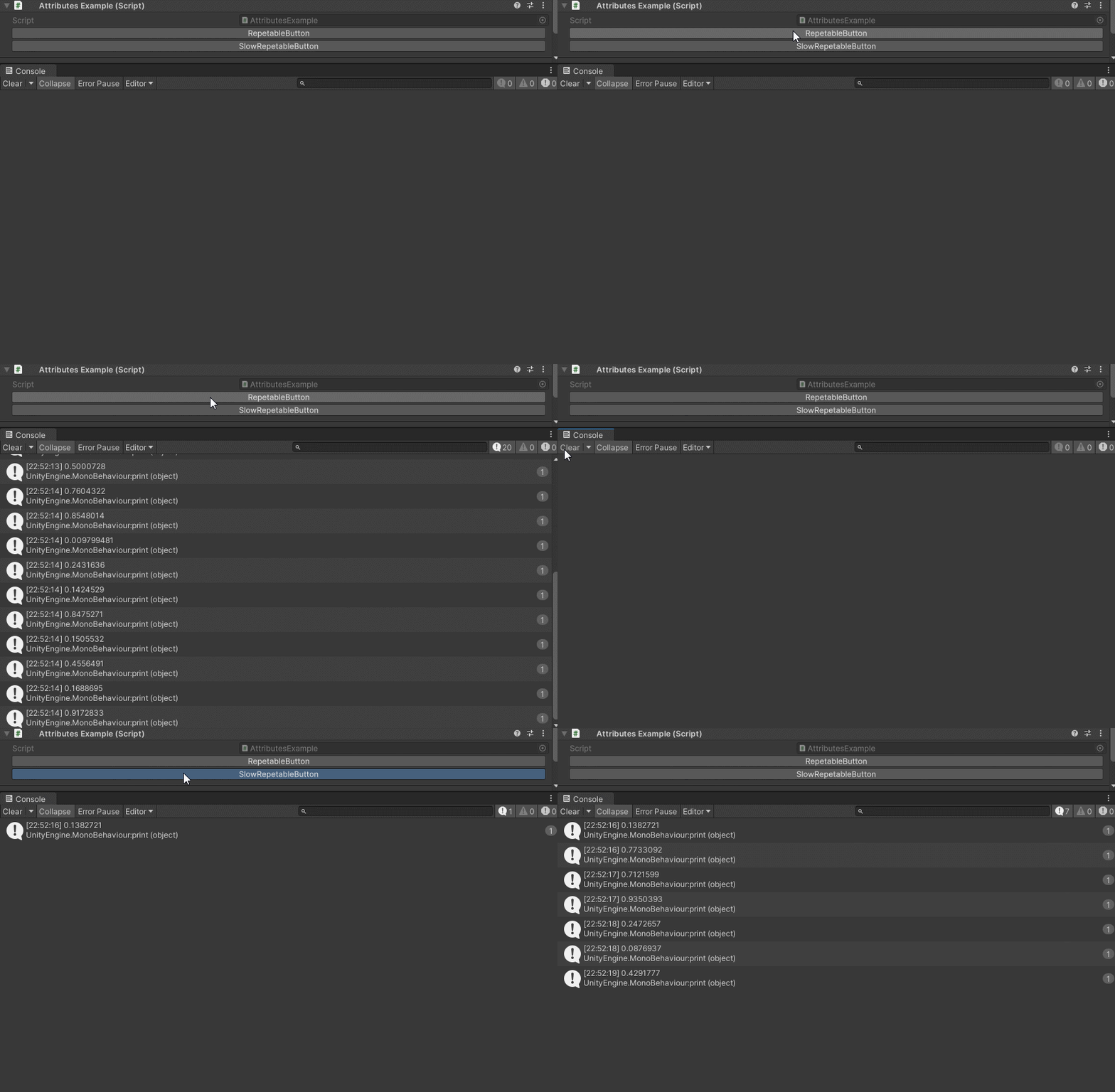
You can make a button to keep executing on hold by marking it as repetable:
using UnityEngine;
using EditorAttributes;

public class AttributesExample : MonoBehaviour
{
        [Button(true)]
        public void RepetableButton() => print(Random.value);

        [Button(true, pressDelay: 200, repetitionInterval: 500)]
        public void SlowRepetableButton() => print(Random.value);
}
You can also enable/disable or show/hide buttons based on a given condition:
using UnityEngine;
using EditorAttributes;

public class AttributesExample : MonoBehaviour
{
        [SerializeField] private bool condition;

        [Button(nameof(condition), ConditionResult.EnableDisable)]
        public void Button01() => print("Hello World!");

        [Button(nameof(condition), ConditionResult.ShowHide)]
        public void Button02() => print("Hello World!");
}
Now the buttons will be disabled/hidden by default until the condition is true

If you wish for the button to be enabled/shown by default and disabled/hidden when the conditon is true, you can set the negate parameter to true:
using UnityEngine;
using EditorAttributes;

public class AttributesExample : MonoBehaviour
{
        [SerializeField] private bool condition;

        [Button(nameof(condition), ConditionResult.EnableDisable, true)]
        public void Button01() => print("Hello World!");

        [Button(nameof(condition), ConditionResult.ShowHide, true)]
        public void Button02() => print("Hello World!");
}

You can also use an enum as a condition the same way you would use it with any other conditional attribute.
Note
The attribute won’t work inside a serialized struct or class