ButtonField Attribute
Attribute to add a button in the inspector in place of a field.
- Parameters:
stringfunctionName: The name of the function to callboolisRepetable: Makes the button repeat logic on holdoptional,
longpressDelay: How many milliseconds to wait before the logic is repeatedoptional,
longrepetitionInterval: The interval in milliseconds the logic will repeatoptional,
stringbuttonLabel: The label displayed on the buttonoptional,
floatbuttonHeight: The height of the button in pixelsoptional,
boolmakeDirty: Whether to mark the object as dirty after invoking the function
Buttons made using the Button Attribute will always be drawn after all the fields, use the ButtonField Attribute instead if you want to add buttons anywhere in the inspector:
using UnityEngine;
using EditorAttributes;

public class AttributesExample : MonoBehaviour
{
        [SerializeField] private string stringField;

        [ButtonField(nameof(PrintMessage))]
        [SerializeField] private Void buttonHolder;

        [ButtonField(nameof(PrintMessage), "PressMe!", 30f)]
        [SerializeField] private Void tallButtonHolder;

        [SerializeField] private int intField;

        private void PrintMessage() => print("Hello World!");
}

By using the ButtonField Attribute you can also add buttons inside groups:
using UnityEngine;
using EditorAttributes;

public class AttributesExample : MonoBehaviour
{
        [HorizontalGroup(true, nameof(buttonHolder01), nameof(buttonHolder02))]
        [SerializeField] private Void groupHolder;

        [ButtonField(nameof(PrintMessage))]
        [SerializeField, HideInInspector] private Void buttonHolder01;

        [ButtonField(nameof(PrintMessage), "Press Me")]
        [SerializeField, HideInInspector] private Void buttonHolder02;

        private void PrintMessage() => print("Hello World!");
}

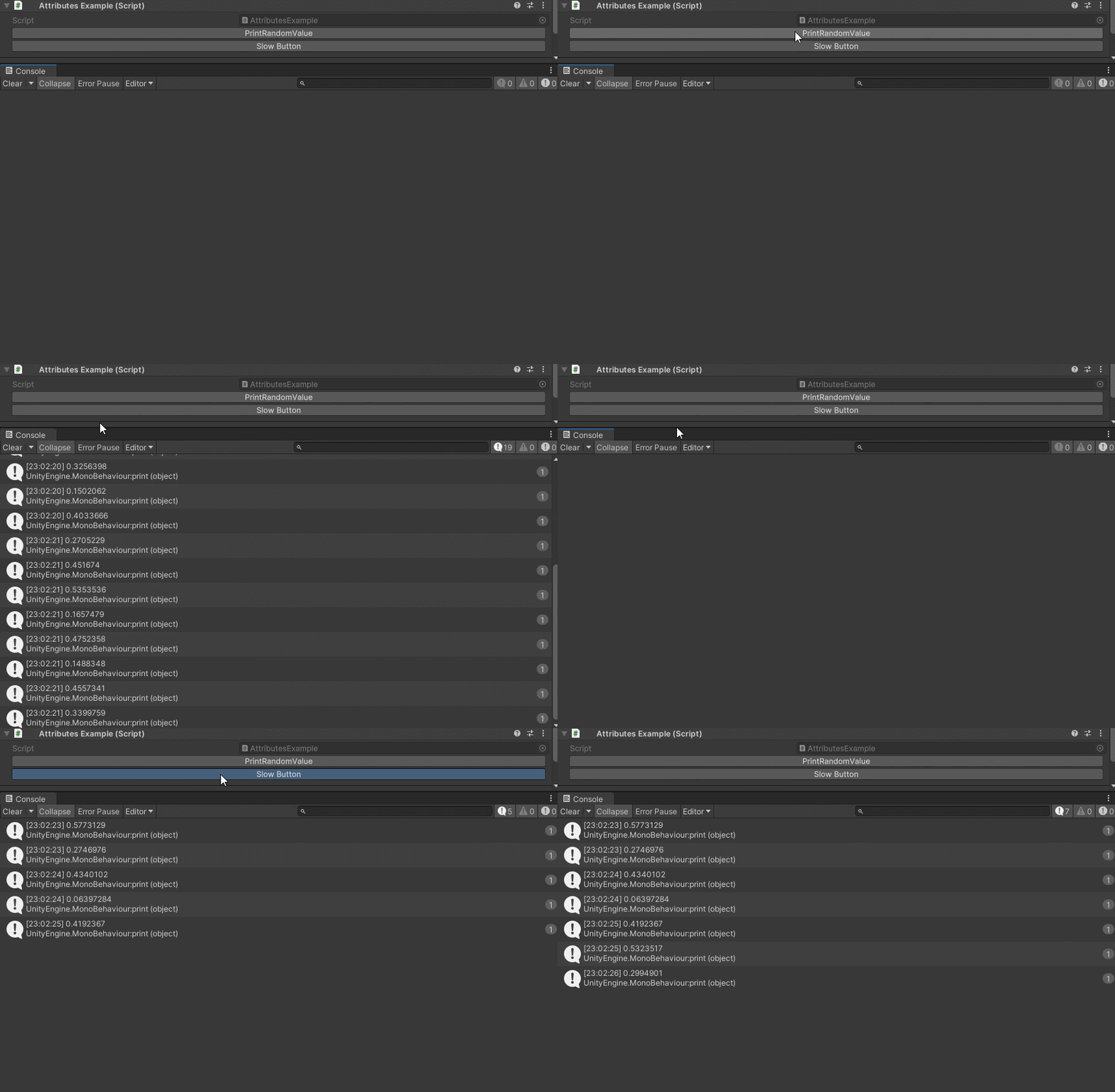
You can make a button to keep executing on hold by marking it as repetable:
using UnityEngine;
using EditorAttributes;

public class AttributesExample : MonoBehaviour
{
        [ButtonField(nameof(PrintRandomValue), true)]
        [SerializeField] private Void buttonHolder01;

        [ButtonField(nameof(PrintRandomValue), true, 100, 500, "Slow Button")]
        [SerializeField] private Void buttonHolder02;

        public void PrintRandomValue() => print(Random.value);
}
Note
The ButtonField Attribute does not support functions with parameters.